Web Bot Auth for Consent Studio Monitoring
Consent Studio Monitoring now supports Web Bot Auth. Shopify and other platforms that use bot protection increasingly expect crawlers to prove who they are with Web Bot Auth (crawler signatures), instead of IP allowlists. Consent Studio Monitoring can now use those signatures.
How does it work?
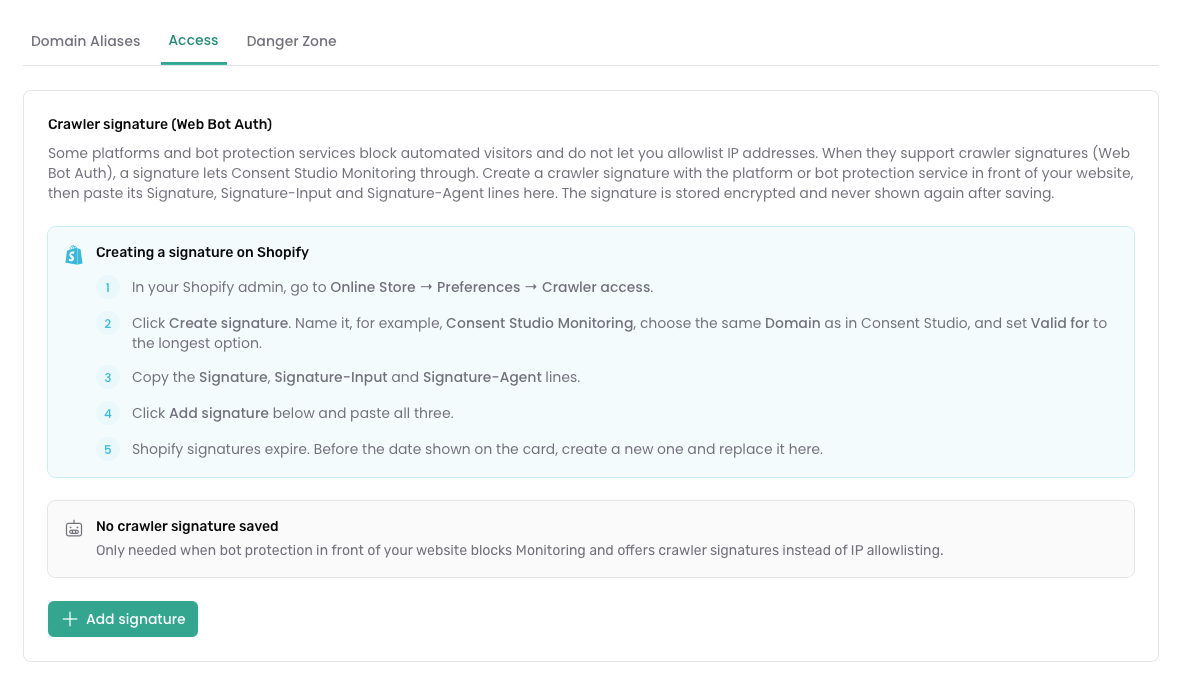
In short, you can now create a crawler signature in Shopify (or your platform), add it in Consent Studio, and Monitoring authenticates the way the store expects. No IP allowlist required.
You’ll find it on the Domain Settings page, in a new tab called Access.
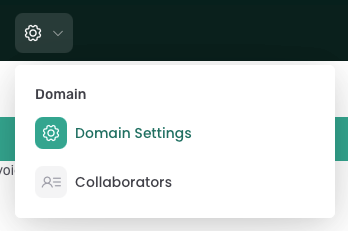
To freshen up: the Domain Settings page can be reached through the gear icon in the top bar.
Testing your signature
Use Test access to confirm Monitoring can reach your site; and check status to see whether access is working. Basic Authentication for password-protected sites is on the same tab.
Full step-by-step guide for Shopify: Let Consent Studio Monitoring into your Shopify store.
Other improvements in this batch
When you install Consent Studio on Shopify, the wizard now includes a clear Monitoring access step, so you set up Web Bot Auth when you need it for scans on bot-protected stores.
When Monitoring can’t reach a site, messages are clearer about why (including Shopify bot protection and a rejected crawler signature), with links straight to Access settings.
You’ll also get a reminder when a signature is due for renewal.
We’ve also made a few reliability and security improvements around how Monitoring authenticates to your site, and fixed email preferences for recommendation digests so they’re respected correctly.
We thank you for your feedback and your trust in The Full Consent Stack.
On behalf of the team,
Thierry Maasdam, Head of Product